Intake to PO Automation: Where AI Stops and You Decide
TL;DR For Intake to PO automation, the question for you is which steps follow a rule you can write down. AI can run those steps, and a person decides the rest. Write the criteria for each step before you switch anything on, and start narrow.
If a buyer handles every intake the same way, a repeat order for an approved vendor gets the same checks as a first-time purchase of a large item. Each one means looking up the vendor, requesting quotes, comparing them and raising the purchase order (PO) by hand. This post is for Procurement Heads who want to know which parts of that chain AI can run today, and which should stay with a person.
Which Intake-to-PO steps can AI handle?
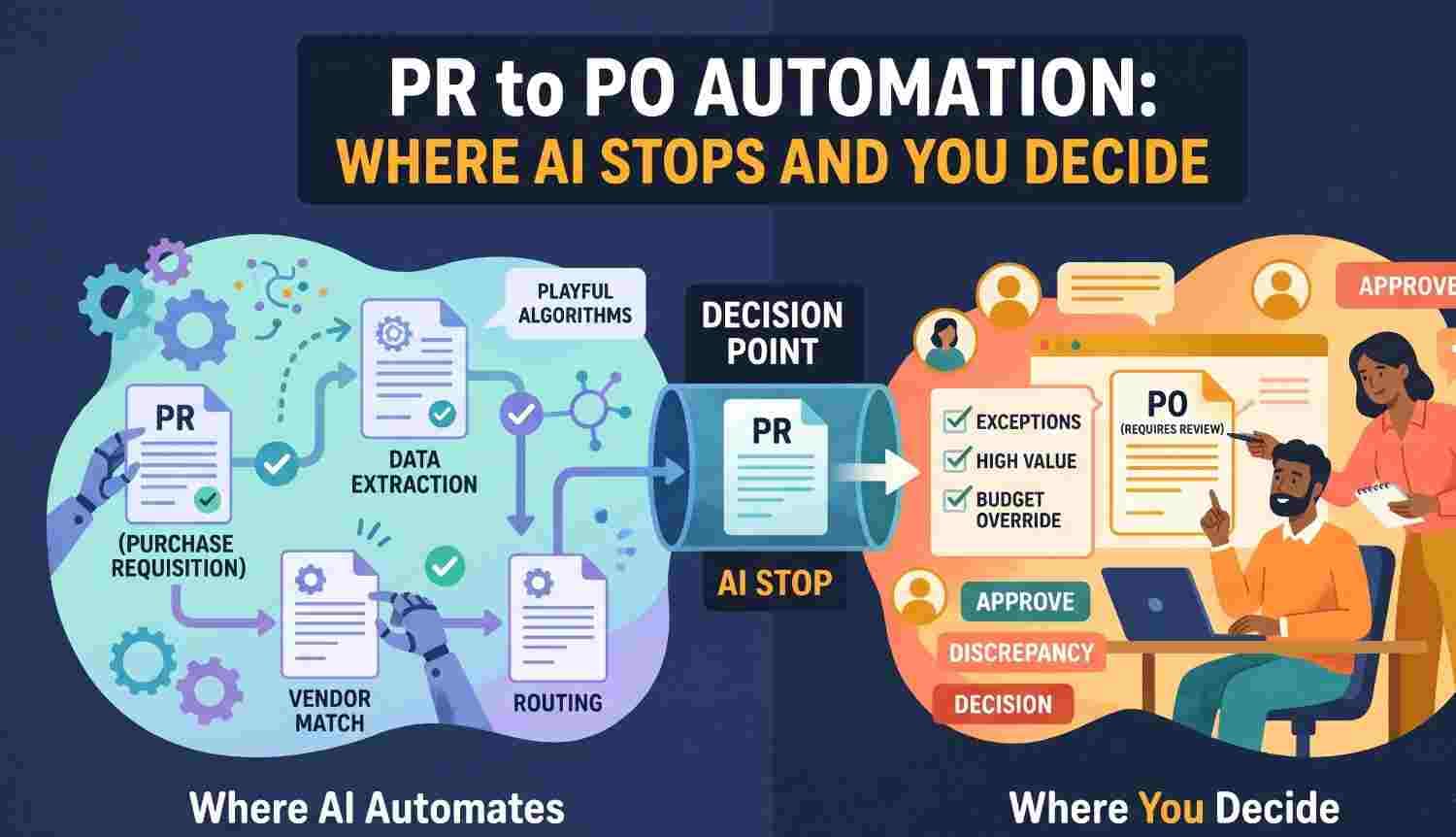
AI can handle the steps that follow a rule you can write down: raising the intake from a request, finding vendors, creating the request for quotation (RFQ), comparing quotes on landed cost and raising the PO. A person decides what falls outside those rules.
| Step | What AI does | Where a person decides | |---|---|---| | Intake | Creates the intake from a request made by voice or chat. | A request that is unclear. The AI asks instead of guessing. | | RFQ | Looks up product details, finds vendors in the market and creates the RFQ. | Any request outside your inclusion and exclusion criteria. | | Compare quotes | Compares every vendor quote, normalises it to landed cost and scores each vendor against your parameters. | Any order above your limit, where the AI states what it will do and waits for a yes. | | PO | Recommends the best vendor and carries the work through to the PO. | An order outside your criteria, which goes to a person with the reason. |
Where must a person decide?
A person decides wherever a request falls outside the criteria you have set, and wherever an order is above your limit. The criteria are rules you write, so they are also where you set the strictness. Two that we would write first: the vendor must still be approved, and the quantity and value must sit within your limits. A request that fails either one goes to a person.
Each client sets its own criteria. Examples for repeat orders: the price is within your tolerance of the last order, the vendor is still approved, the quantity and value are within your limits, and an earlier order or contract exists to reuse.
A repeat order, worked through
Example: your criterion is a price within 5% of the last order. The last order was ₹2.40 lakh, so the limit is ₹2.52 lakh. This month’s quote is ₹2.46 lakh, which is inside the limit, and the quantity and value are within your limits, so the PO is raised. Next month the quote is ₹2.64 lakh, 10% up on the last order. That is outside the limit, so a person reviews it, and the reason is attached.
Start with narrow criteria. Look at what lands on a person’s desk, then widen the criteria as you see what the AI hands over.
What happens when a contract already covers the item?
The intake should be checked against your contracts before any RFQ goes out. Where a contract fits, the PO is raised at the contracted price and terms, and the order counts toward the contract’s utilisation. Where none does, the request goes to sourcing: find vendors, create the RFQ and compare the quotes. That way a buyer does not re-source an item a contract already covers.
How PRMAI runs intake to PO inside your criteria
PRIMA, PRMAI’s AI agent, takes a request from the web app, chat or voice, plans the steps and does the work in PRMAI. See the pricing page for what each plan includes.
It checks each intake against your contracts first. Where a contract fits, it raises the PO at the contracted price and terms and counts the order toward the contract’s utilisation. Where none does, it finds vendors, creates the RFQ and compares the quotes.
For repeat orders, it recognises the need, reuses the approved vendor and the price and terms from the last order or contract, and checks the criteria. You can set the criteria by material ID, plant, purchase group and material group. Inside them, it creates the PO and sends it to the vendor. Outside them, or if the criteria are missing or do not match the request, it hands the order to a person for approval.
PRIMA works inside each user’s permissions. Approvals follow your policy for anything outside the limits, and every action is on record: who asked, what PRIMA did, when, and on whose authority. Each stage PRIMA runs is logged, and the pipeline log shows what it did.
Frequently asked questions
Will PRIMA place orders without anyone seeing them?
Inside the criteria you set, PRIMA runs the order on its own and sends the PO. Every order carries the history of why it was placed, and anything outside the criteria goes to a person.
Who is accountable if it places a wrong order?
Your company, through the policies you set. Every action is on record, so you can trace who asked, what PRIMA did and on whose authority.
How is this different from the automation rules I already run?
Rule-based automation runs the steps it was set up for. PRIMA plans the steps for each request and hands the order to a person when it falls outside your criteria.
Where should we start?
With repeat orders and narrow criteria. Review what PRIMA hands to a person, then widen.
Book a demo to see PRIMA take an intake through to a PO inside criteria you set.
Keep reading
- See how PRMAI handles this: Procurement orchestration
- AI Procurement Automation
- AI in Procurement 2026
- Explore AI in Procurement