
How PRIMA Reads Invoices: A Step-by-Step Guide for Procurement and Supply Chain Leaders
By PRMAI | Source-to-pay platform for procurement teams
Invoices arrive by email, by portal, as PDFs and as scans. Someone on the accounts payable (AP) team still opens each one, types the details into the system, checks them against the PO and chases the vendor when something is wrong.
That keying and checking takes the AP team’s time on every invoice.
For a Procurement Head reviewing invoice automation, the flow has five steps, and the last one covers invoices when OCR is off.
What does it mean when AI reads an invoice?
It means the AI reads the invoice and fills in its details, and a check against the PO and GRN follows before the invoice is accepted.
How AI reads invoices in PRMAI, step by step
1. The vendor sends the invoice by portal or email
The vendor uploads the invoice through the supplier portal, or sends it by email to a dedicated invoice address
A vendor can use whichever channel suits it. The invoice management page covers the module.
2. The AI reads the uploaded invoice
When the vendor uploads the invoice PDF, OCR (optical character recognition) reads it and fills in the invoice. The vendor only enters the quantities .
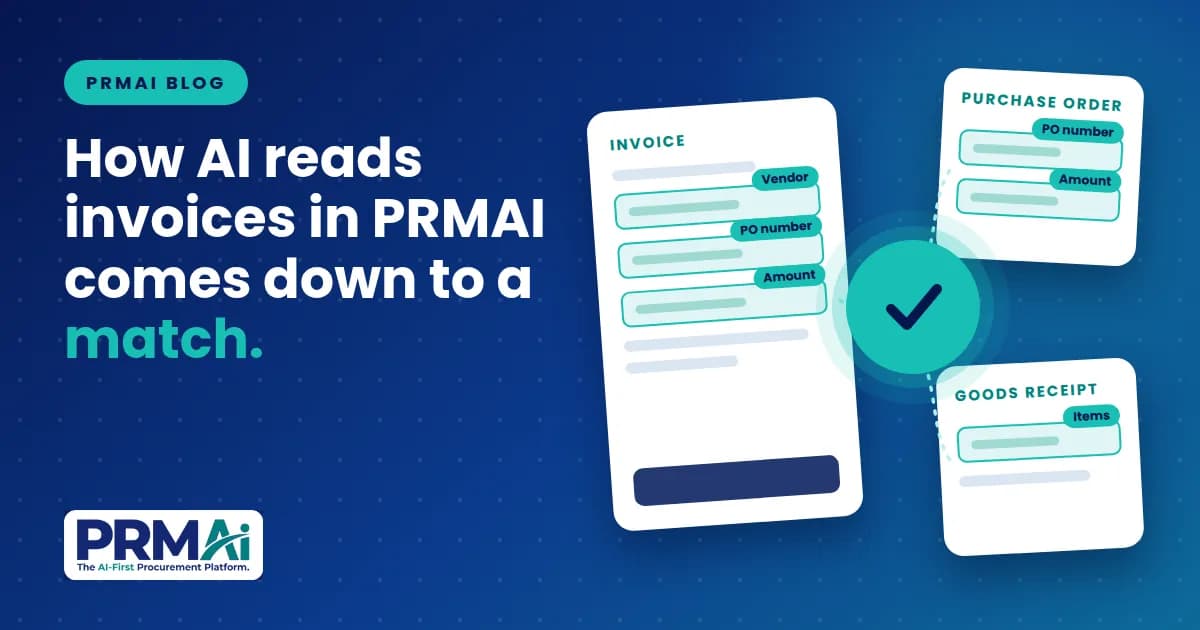
3. The invoice goes through a 3-way match
PRMAI then runs the 3-way match: it compares the invoice with the PO and the GRN.
If the data matches, the invoice moves forward in the process. If it doesn’t, PRMAI excludes it from the flow and redirects it to a exception handling agent or rejects it as per the configuration
4. The vendor resubmits an excluded invoice
After an exclusion, the vendor resubmits a corrected invoice, and the flow runs again from the start: send, read, match .
5. The AP team enters the invoice when OCR is off
Not every company runs OCR on every invoice. When OCR is off, the invoice goes to the AP inbox list and the AP team creates the entry by hand.
The PRMAI invoice flow at a glance
| Stage | OCR Enabled | OCR Disabled | |---|---|---| | Submission | Vendor uploads via portal or email | Vendor uploads via portal or email . | | Reading | OCR reads the invoice automatically | Invoice goes to the AP inbox list | | Entry and match | PRMAI matches the invoice to the PO and GRN | AP team creates the entry manually | | If something is wrong | PRMAI excludes the invoice, the vendor resubmits and the flow repeats . | AP team corrects it . |
How does manual invoice processing compare with PRMAI’s flow?
PRMAI reads the invoice with OCR and checks it against the PO and the GRN before accepting it. A manual process relies on someone typing the invoice and checking it by eye.
| | Manual process | PRMAI invoice flow | |---|---|---| | Data entry | Typed by hand | Read by OCR automatically | | Error checking | Checked by eye against the PO | PRMAI matches it to the PO and GRN before approval . | | Wrong invoices | Chased over email | Excluded, then resubmitted by the vendor | | Fallback | Everything is manual | Manual entry in the AP inbox list when OCR is off |
A worked example with a partial delivery
Example, with illustrative figures. A plant raises a Intake for 1,000 packing cartons. The vendor’s quote comes in at ₹250 a carton, and the PO goes out for ₹2.5 lakh. The vendor ships 600 cartons first, and the GRN records 600. The invoice then arrives for 1,000 cartons at ₹250, which is ₹2.5 lakh.
The match finds that the invoice bills 1,000 cartons while the GRN shows 600. That’s a gap of 400 cartons, or ₹1 lakh, so PRMAI rejects the invoice under 3 way matching failure and directs the vendor to resubmit the invoice with correct values. The vendor resubmits an invoice for 600 cartons at ₹250, which is ₹1.5 lakh. It now agrees with the GRN and the PO rate, so it moves forward .
What does a Procurement Head gain from this flow?
For invoices read by OCR, the vendor enters only the quantities and OCR fills in the rest of the invoice
Is your team ready for AI to read its invoices?
- Do you receive invoices through more than one channel?
- Does your AP team retype invoice data into your enterprise resource planning (ERP) or finance system?
- Do invoice errors surface after approval instead of before?
- Do you chase vendors for corrections over email?
- Do you manage vendors across several sites or business units?
Answer yes to two or more of these questions and your team is a candidate for AI reading its invoices.
Frequently asked questions
What happens if PRMAI can’t match an invoice?
PRMAI excludes the invoice from the flow. The vendor resubmits a corrected invoice, and the process runs again from the beginning.
Can vendors submit invoices by email as well as through a portal?
Yes. Invoices can be submitted through the portal or by email, so vendors can use whichever channel suits them.
What if OCR is turned off?
The invoice goes to the AP inbox list, and the AP team creates the entry manually.
Does PRMAI replace our ERP?
No. PRMAI works alongside your ERP. It pulls open PRs from the ERP, creates POs in it and fetches GRN and payment information back.
Book a demo to see this flow on your own invoices.